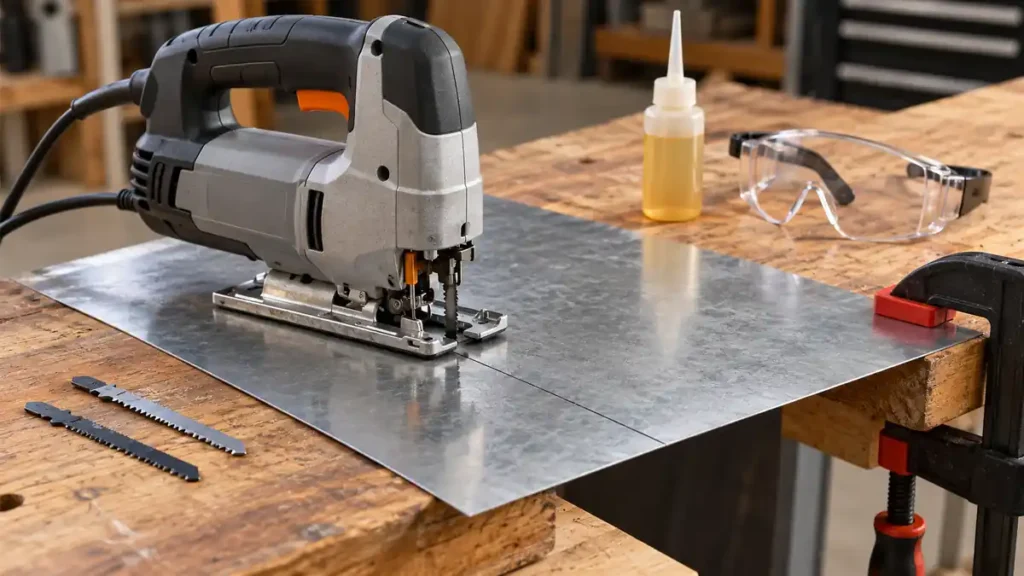
To cut metal with a jigsaw, install a compatible metal-cutting blade, clamp the workpiece securely, select a low or moderate speed recommended for the blade and material, and use straight reciprocating action rather than an aggressive orbital setting. Keep the shoe flat against the metal and advance the saw slowly without forcing it. Blade selection, workpiece stability, and heat control have a direct effect on cut quality and blade life.
A jigsaw can cut sheet metal, steel sections, aluminum, and some stainless steel within the documented capacities of the tool and blade. The correct setup varies with the metal type, thickness, and cut shape, so check the jigsaw manual and the blade manufacturer’s application guidance before starting.
Start by comparing jigsaw blades rated for metal cutting, then match the chosen blade to the alloy and thickness before following the cutting steps.
What You Need to Cut Metal With a Jigsaw
- A corded or cordless jigsaw rated for the intended material and thickness
- A compatible metal-cutting jigsaw blade
- Clamps and a stable work surface
- A marker, scribe, or suitable layout tool
- Safety glasses or other appropriate eye protection
- Hearing protection where appropriate
- A drill and suitable bit for internal cutouts
- A file or deburring tool for finishing sharp edges
Keep combustible materials away from the cutting area. Metal chips can be hot and sharp, and some cutting operations can produce sparks. Inspect the workpiece for coatings, contamination, hidden fasteners, or other conditions that could create additional hazards.
If you are also choosing a saw, compare jigsaws with controls suited to metal cutting and stay within the model’s stated capacity.
Choose a Blade for the Specific Metal
A blade must fit the jigsaw’s clamp and suit the metal being cut. T-Shank and U-Shank describe attachment interfaces, not cutting capability. Check the owner’s manual rather than assuming that either interface will fit.
Metal-cutting blades commonly use HSS, bi-metal, or carbide construction. Blade labels and manufacturer application charts identify the intended material and thickness range more reliably than blade material alone.
| Material | Blade Characteristics to Look For | Practical Concern |
|---|---|---|
| Mild steel | A blade specifically marked for steel and the workpiece thickness | Excessive speed or feed pressure can create heat and rapid tooth wear |
| Stainless steel | A blade whose manufacturer expressly lists stainless steel | Heat buildup can damage the blade and harden the cutting area |
| Aluminum | A blade approved for aluminum or nonferrous metal | Soft metal can load the tooth spaces if the blade geometry is unsuitable |
| Thin sheet metal | A fine-pitch blade that keeps multiple teeth engaged | Poor support can cause vibration, snagging, and distorted edges |
| Thicker sections | A sufficiently long, rigid blade within the saw’s capacity | Blade deflection and heat become more difficult to control |
Choose tooth pitch according to the blade manufacturer’s stated thickness range. A blade with teeth that are too coarse for thin sheet can catch the edge instead of cutting smoothly. An extremely fine pitch may cut slowly or clog in thicker or softer metal. The blade’s working length must also maintain clearance beneath the workpiece throughout the complete stroke.
Use the material distinctions in blade selection for aluminum, steel and stainless rather than assuming every metal blade fits every alloy.
How to Cut Metal With a Jigsaw Step by Step
-
Confirm the tool and blade capacities.
Read the jigsaw manual and blade packaging. Verify blade-shank compatibility, supported metal types, workpiece thickness, and any recommended speed or orbital settings. Do not use the saw beyond its documented metal-cutting capacity.
-
Disconnect the jigsaw before installing the blade.
Unplug a corded jigsaw or remove the battery from a cordless model when the manufacturer directs you to do so. Install the blade according to the tool’s instructions, with the teeth facing in the required direction. Confirm that the blade is fully seated and secured in the clamp.
-
Mark the cutting line.
Use a visible marker or scribe suitable for the metal. For a long straight cut, a guide may help control the saw’s path if the jigsaw and workpiece arrangement permit one. A guide controls the baseplate position, but it cannot prevent every instance of blade deflection.
-
Clamp and support the workpiece.
Place the metal on a stable surface with clear space beneath the blade path. Clamp it near the cut without obstructing the jigsaw’s shoe. Support both the main workpiece and any large offcut so neither section drops or twists as the cut finishes.
-
Set the speed and orbital action.
Metal is generally cut with straight reciprocating blade movement or the least aggressive orbital setting permitted by the manufacturer. Aggressive orbital action can increase vibration, roughness, and tooth loading. Select speed from the tool and blade guidance. Steel and stainless steel commonly require more conservative speed control than aluminum, but there is no universal setting for every blade and workpiece.
-
Position the jigsaw before starting.
Set the front of the shoe firmly on the workpiece while keeping the blade clear of the metal. Align the blade with the waste side of the marked line. Make sure the cord, if present, cannot cross the blade path or catch on the workpiece.
-
Start the saw and establish the cut.
Bring the blade up to the selected operating speed before feeding it into the edge, unless the tool manufacturer specifies a different procedure. Advance gently until the teeth establish a stable kerf. Thin sheet requires especially light pressure because it can vibrate or catch.
-
Guide the saw without forcing it.
Keep the shoe flat against the metal and let the blade teeth perform the cutting. Excessive forward pressure can overheat the blade, strip teeth, or deflect the blade below the visible cut line. Do not push the saw sideways to correct a wandering cut. Stop, disconnect power, and reassess the setup if the blade binds or bends.
-
Complete the cut under control.
Reduce feed pressure near the end and keep both sections supported. After the blade leaves the material, release the trigger and wait for all moving parts to stop before setting the tool down. The blade, cut edge, and chips may remain hot.
-
Deburr and clean the work area.
Disconnect the tool before removing the blade or clearing material around the cutting mechanism. Use a file or deburring tool to remove sharp edges. Collect chips with an appropriate brush or vacuum method rather than wiping them away with a bare hand.
How to Make Straight Cuts and Curves in Metal
Straight Cuts
A wide, rigid metal-cutting blade generally resists wandering better than a narrow scrolling blade. Clamp a straightedge at the correct offset if the jigsaw can run against it safely. Keep steady contact between the shoe and the guide, but avoid pushing sideways against the blade.
Long, highly precise straight cuts may be better suited to another metal-cutting tool. A jigsaw is useful for short straight cuts and shapes, but its narrow reciprocating blade can deflect, particularly in thick stock. The cut may follow the line on top while drifting beneath the workpiece.
Curved Cuts
Use a metal-cutting blade whose width and stated turning capability suit the curve. Feed more slowly through bends and avoid twisting the tool to force a tighter radius. Relief cuts into the waste area can give the offcut room to separate on complex shapes, provided each cut is planned so it does not damage the finished part.
A tight curve in thick metal increases side loading and blade deflection. If the blade cannot follow the radius naturally, use a broader curve, make additional relief cuts, or choose another cutting method.
Internal Cutouts
For a cut that does not begin at an outside edge, drill a starter hole large enough to accept the blade without contacting the sides. The hole must also allow the shoe to sit flat when cutting begins. Remove burrs that could interfere with blade entry.
Do not attempt a plunge cut in metal unless the jigsaw manufacturer, blade manufacturer, and workpiece conditions expressly support that technique. Starting from a drilled opening is generally more controlled.
Control Heat Without Damaging the Tool
Heat is a common cause of poor metal-cutting performance. Warning signs include discoloration, smoke from surface coatings, rapid tooth wear, and a blade that stops cutting efficiently. Excessive speed, heavy feed pressure, a dull blade, or an unsuitable tooth pitch can all contribute.
If the cut becomes excessively hot, stop and allow the blade and workpiece to cool. Disconnect power before inspecting the blade. Replace a blade with missing teeth, visible bending, cracks, or other damage. Do not straighten a damaged blade for reuse.
Some blade manufacturers recommend cutting fluid for specific metal applications, while some jigsaw instructions restrict how liquids may be used around the tool. Apply lubricant only where the tool, blade, and material manufacturers permit it. Keep liquids away from electrical components, battery interfaces, ventilation openings, and surfaces where they could reduce control.
Prevent Thin Sheet Metal From Vibrating
Thin sheet can chatter because the blade repeatedly lifts and releases material that lacks support. Place clamps close enough to stabilize the sheet while preserving clearance for the shoe and blade. Shorten the unsupported span and use a fine-pitch blade listed for that sheet thickness.
For some projects, sheet metal can be sandwiched between sacrificial panels to reduce vibration. This method changes the combined cutting thickness and may conceal the cut line or trap chips. Use it only with a blade long enough for the complete stack and with adequate clearance beneath the workpiece. Never allow screws or clamps to enter the blade path.
For thin stock that catches or chatters, compare blades for thin sheet metal alongside the workpiece-support checks.
Common Metal-Cutting Problems
The Blade Catches or Jumps
The tooth pitch may be too coarse, the sheet may be poorly supported, or the blade may be entering the edge too aggressively. Stop the tool, disconnect it, and check the blade application range and workpiece clamping.
The Cut Wanders or Becomes Angled
Possible causes include excessive feed pressure, a narrow or worn blade, thick material, side pressure against a guide, or an unsupported workpiece. A straightedge does not correct blade deflection beneath the surface. Use a suitable rigid blade and let it cut at its own sustainable rate.
The Teeth Wear Out Quickly
High speed, excessive heat, incorrect tooth geometry, or using a general metal blade on an unsupported material such as stainless steel can shorten useful blade life. Confirm the exact blade application rather than relying on a broad “metal” label.
The Workpiece Vibrates Excessively
Move the clamps closer to the cutting area, improve support, and check that several teeth remain engaged in the material. Also confirm that the shoe stays flat and that the blade is secure in the clamp.
The Aluminum Clogs the Blade
The blade may have unsuitable tooth geometry or insufficient space for chip removal. Stop before the teeth become packed. Follow the blade manufacturer’s aluminum-cutting guidance and any approved lubrication instructions.
Metal-Cutting Safety Checks
- Wear eye protection that guards against flying chips.
- Secure the workpiece rather than holding it near the blade.
- Keep hands clear of the cutting line and the underside of the material.
- Provide full blade clearance beneath the workpiece.
- Keep sparks and hot chips away from flammable materials.
- Do not touch the blade or fresh cut edge until it has cooled.
- Inspect painted, plated, or coated metal for material-specific exposure hazards before cutting.
- Do not operate a jigsaw with a damaged cord, battery, blade clamp, shoe, or guard.
- Wait for the blade to stop before lifting the shoe from the workpiece or setting the tool down.
- Disconnect power before changing blades, clearing jams, or making adjustments.
Successful metal cutting depends on matching the blade to the metal and thickness, stabilizing the workpiece, and using controlled speed and feed pressure. Keep orbital action minimal, maintain full shoe contact, and stop if the blade binds, overheats, or begins to deflect. For material beyond the documented capacity of the jigsaw or blade, choose a cutting method intended for that application.
